


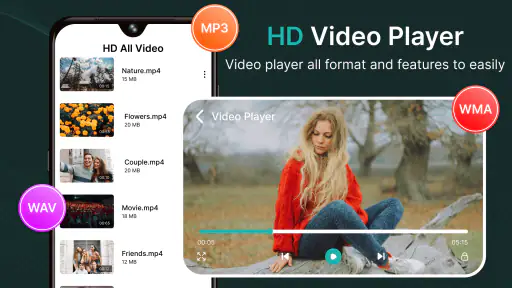
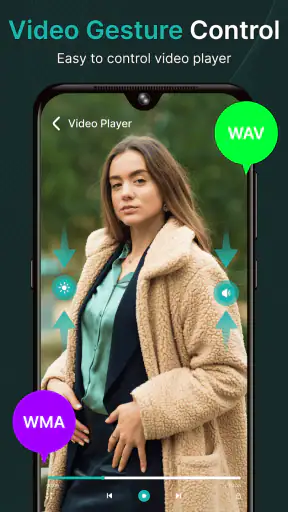
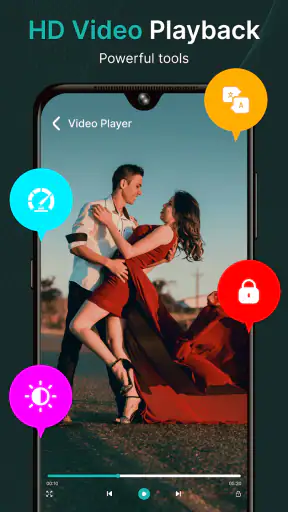
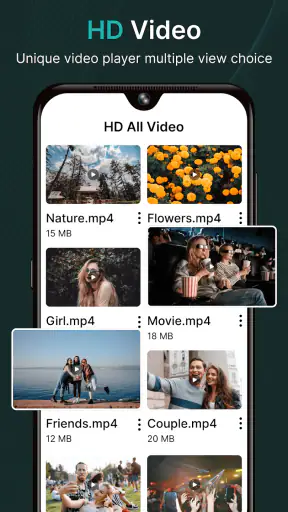
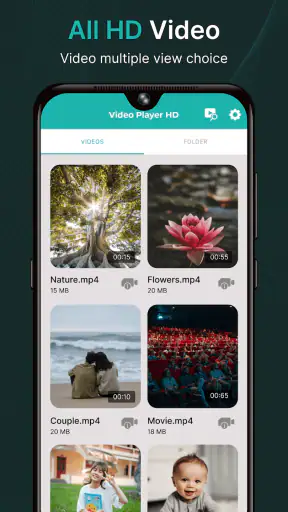
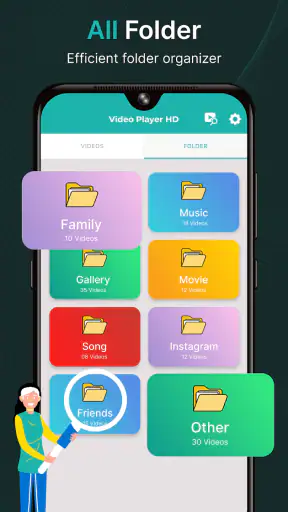
I spent time using Flivio Video Player All Format as a practical Android video app rather than treating it like a simple file opener. The first impression is straightforward: it is a free player from TheWeirdos Lab, aimed at people who want one place for everyday video playback, high-definition and 4K viewing, a private vault, and a launcher-style way to reach media. That combination makes it more interesting than a basic player, although it also means the experience depends on how much of its wider toolset you actually need.
Flivio sits in the video players and editors category, but my experience is much more about playback and media organization than editing. Its store summary highlights HD and 4K playback, support for different video formats, a vault, and a smart launcher. Those features point to a useful role: keeping personal clips, downloaded videos, and other local media accessible without constantly switching between separate apps.
The app is free and rated for Everyone, so it is easy to consider for a family device or a personal phone. It requires Android 8.0 or later, and the current version is 6.0. The app has passed one million installs, while its average rating is 3.3 from around 1.3 thousand ratings. That is not a reason to dismiss it, but it does suggest that expectations should be realistic. Flivio is worth testing for its particular mix of tools, not simply because it claims to replace every media utility.
Building a dependable everyday playback routine
My preferred way to use Flivio is to begin with a small, repeatable routine. I open the player, locate the video I actually want, start playback, and then spend a moment checking whether the picture, sound, and controls behave properly on the device. This sounds basic, but it matters with a player that is intended to handle many formats and resolutions. A file that plays perfectly on a modern phone may feel less comfortable on an older Android device, especially when the video is demanding.
For ordinary clips, the app is best approached as a central shelf rather than a complicated media center. I would keep frequently watched material in a predictable folder structure and use the player to reach it consistently. That habit reduces the need to browse through unrelated downloads every time. It also makes the smart launcher more useful, because a launcher works better when the content it exposes is already organized.
One practical scenario is a long journey where I save several personal recordings and offline videos before leaving home. Instead of opening each file from a file manager, I can use one playback app and keep the viewing process separate from general phone storage. If I also have clips I do not want appearing casually in the normal media list, the vault becomes relevant. I would treat that space as a convenience for privacy and tidiness, not as a substitute for a complete security strategy.
The vault is particularly useful when a phone is shared briefly with a child, coworker, or family member. Moving selected videos away from the ordinary browsing flow can prevent awkward accidental discoveries. The important habit is to remember where those files were placed and to avoid assuming that hiding a file makes it invulnerable. A private area can improve day-to-day discretion, but I would still protect the whole device with a strong screen lock and keep important originals backed up elsewhere.
Flivio’s support for HD and 4K is another reason to try it with more than a tiny phone recording. On a capable screen, high-resolution video can look excellent, but the result depends on the source file and the phone itself. A player cannot turn a low-quality recording into true 4K detail. I found it more useful to think of the feature as compatibility with higher-resolution material, not as an automatic picture upgrade.
That distinction also helps with storage planning. Large high-resolution files take more space and can be slower to move or scan. If the app feels less immediate with a crowded library, I would first reduce clutter and separate large recordings from casual clips. This is a better first step than assuming the player is at fault.
What I would check before relying on it
Before making Flivio my only player, I would test the types of video I watch most often. “All-format” wording is appealing, but real-world playback still depends on the exact combination of container, video encoding, audio encoding, subtitles, and device hardware. A few representative files tell me more than a general promise: one ordinary phone recording, one high-definition file, one 4K sample if I use those regularly, and one file with the audio or subtitle arrangement I care about.
This test is also a useful way to answer a question many users have: will it replace the player already installed on the phone? For simple local videos, it may. If I need specialized subtitle controls, network streaming, casting, library synchronization, or a very polished television interface, I would compare it directly with a more established specialist player instead of switching automatically.
The app’s age rating of Everyone makes it approachable, but that label does not tell me how well it fits every household workflow. Parents may appreciate a single player and the vault, while someone managing a large family library may prefer a dedicated media server or a more structured gallery. The right choice depends on whether convenience on one Android device matters more than advanced cataloging across several devices.
Settings that deserve attention before daily use
Experienced users usually get better results by checking settings early rather than changing everything after a problem appears. In Flivio, I would look first for playback behavior, display preferences, library or scanning options, and the way the vault and launcher present content. I would change only what solves a real annoyance. Over-customizing a player can make it harder to remember the controls when I am in a hurry.
Display settings are the most obvious place to start with HD and 4K video. I would check whether the app preserves the original aspect ratio, how it handles videos that do not match the phone’s screen, and whether full-screen viewing behaves as expected. Stretching a picture to fill every edge may look convenient, but it can distort faces and scenery. I prefer a small amount of unused screen space to a visibly warped image.
Screen orientation is another setting worth testing with both short clips and longer viewing. Automatic rotation can be helpful when I move between portrait browsing and landscape playback, but it can also become annoying if the phone shifts in my hand. If Flivio offers a lock or orientation choice in the playback interface, I would use it when watching in bed or while traveling. The best setting is the one that prevents accidental changes, not necessarily the most automatic one.
Sound deserves its own check. I would begin at a moderate volume and test a spoken clip before starting a film or lecture. If the app provides audio-track choices, I would confirm that the preferred track is selected rather than assuming the first available option is correct. For videos with quiet dialogue and loud effects, the phone’s system volume and any available player control should be adjusted carefully; a player cannot fully correct a badly mixed source.
Library scanning can be convenient, but I would not let every folder become part of the visible collection if the phone contains temporary downloads, messaging attachments, or work files. A clean library makes Flivio’s launcher more useful and reduces the time spent searching. My practical tip is to create a small “watch soon” location and keep archival material elsewhere. This turns the app into a focused viewing tool instead of a mirror of every video stored on the phone.
The vault should be configured with the same care. I would move only files that genuinely benefit from being separated, then immediately check how they are restored or accessed. The key trade-off is convenience versus forgetfulness: the more content I hide, the easier it becomes to forget what is inside. I would also avoid using the vault as the only copy of irreplaceable recordings. A hidden local file is still vulnerable if the phone is lost, damaged, or reset.
The smart launcher is most valuable when it shortens a real path. I would use it for videos I open repeatedly, such as a language lesson, a workout recording, or a reference clip for a project. If it merely adds another screen to pass through, I would keep the workflow simpler. A launcher should reduce taps and mental effort; it should not become another library to maintain.
Faster patterns for people who watch often
Once the basic setup is comfortable, the biggest gains come from habits rather than dramatic configuration. I like to separate browsing from watching: first choose the file, then enter full-screen playback and avoid repeatedly returning to the library. This is especially useful for long videos, because frequent back-and-forth browsing makes the app feel slower even when playback itself is fine.
I would also keep a short queue in a dedicated folder instead of relying on memory. For example, after downloading several lessons or travel clips, I can place the next few items together and work through them in order. This is a simple workflow, but it makes the player feel more like a personal viewing station. It also avoids the common problem of starting a file and then losing track of which one was next.
For high-resolution content, I would prepare before playback. Closing demanding background apps, connecting to power for a long session, and making sure enough storage remains available are sensible steps on a phone. These actions are not special Flivio features, but they affect how a 4K file feels in practice. If a device becomes warm or playback is inconsistent, I would compare the same file at a lower resolution before blaming the app. The bottleneck may be the phone’s hardware or the file itself.
A useful advanced habit is to keep source files consistent when possible. If I regularly create recordings, I would use a stable camera format and avoid collecting many nearly identical exports. A player is easier to evaluate when the library is not filled with unpredictable conversions. When files come from many sources, I would note which ones cause trouble and use that information to decide whether Flivio is suitable for my collection.
The vault and launcher can also work together in a careful routine. I might keep ordinary viewing material in the main library, place sensitive personal clips in the vault, and use the launcher only for the handful of videos I revisit. That division keeps each feature focused. Trying to put everything into the vault or expose everything through the launcher would make the organization less clear.
Another small but important habit is to pause before deleting a file from inside a player. A video may be stored in a shared folder, a camera directory, or a download location used by another app. I would confirm that I am removing the correct copy and not an original that another workflow depends on. This is one area where a dedicated media player can feel more powerful than a gallery, but also easier to misuse if file locations are not understood.
Where the experience may not be enough
Flivio’s broad feature set is appealing, but breadth does not guarantee depth in every area. Someone who wants a highly refined streaming experience may prefer an app designed around network playback and casting. Someone who manages subtitles carefully may choose a player known for extensive subtitle customization. Someone who wants editing tools, trimming, filters, or timeline work should look at a genuine video editor rather than expecting a playback-focused app to provide those functions.
The same applies to large libraries. If I have a few dozen videos on one phone, a launcher and sensible folders may be enough. If I have a huge collection spread across storage locations, I would want strong sorting, metadata handling, search, and synchronization. Flivio may still be useful as the playback layer, but I would not assume its vault or launcher can replace a full media-management system.
There is also a privacy trade-off in any app that combines ordinary playback with a vault. Keeping more media in one place is convenient, but it means I should be deliberate about device access and backups. I would not install it on a shared device without first deciding who should see the normal library and how private content will be protected. The Everyone rating describes suitability of the app’s content classification, not a guarantee that every stored video is appropriate for every viewer.
Users on older or less capable phones should be especially practical. Android 8.0 compatibility makes the app available to a wide range of devices, but compatibility is not the same as equal performance. Standard clips are a sensible starting point. High-resolution files should be tested rather than assumed to run smoothly, and a lightweight alternative may be better if the phone struggles with demanding media.
The average rating of 3.3 indicates a mixed public response, and I think that is a fair reason to approach the app with a trial mindset. The one-million-plus install count shows that it has found a substantial audience, but popularity does not remove the need to check whether its controls and organization suit me. I would use it for a few days with my actual files before moving a carefully arranged library into its vault or launcher workflow.
My verdict after using it as a complete playback tool
Flivio Video Player All Format makes the most sense for Android users who want more than a bare video opener but less than a full media-server setup. Its strongest idea is the combination of broad local playback, HD and 4K support, a vault for separating private material, and a smart launcher for reaching favorite videos faster. Used together, those parts can create a tidy daily routine for personal clips, offline viewing, lessons, and reference material.
I would recommend it to a friend who keeps videos on one Android phone and values convenience over elaborate cataloging. The free price makes experimentation easy, and the Everyone rating removes an obvious barrier for general household use. The developer, TheWeirdos Lab, has positioned the app around practical media access rather than a narrow single-purpose player, which is why the vault and launcher matter as much as format support.
I would not recommend making it the automatic choice for every situation. If my priority were advanced subtitle work, reliable network streaming, casting, professional editing, or a large synchronized collection, I would choose a more specialized alternative. If I only watch occasional clips, the phone’s existing player may already be simpler. Flivio earns its place when I will actually use its organization and privacy tools.
My final advice is to test it with the files and habits that define my real use. Check a normal recording, a high-definition video, and a demanding file if 4K matters. Adjust orientation and display behavior, keep the library organized, use the vault selectively, and reserve the launcher for repeat viewing. The best Flivio workflow is not turning on every feature; it is combining only the features that remove friction from the way I already watch videos.
With that approach, Flivio becomes a capable, flexible companion rather than an overpromised replacement for every media app. I see it as a useful middle ground: more thoughtful than a basic player, easier to adopt than a full media-management system, and most rewarding for users willing to spend a few minutes shaping its playback and organization around their own routine.


